Wahida Audio · ONE8

Movement, built into the filter.

Design the sound, then make the motion part of it. ONE8 brings filter morphing, musical modulators, matrix routing, macros, sidechain behaviour, drive, stereo control, gain staging, and SAFE output into one focused instrument.

AU VST3 macOS Universal
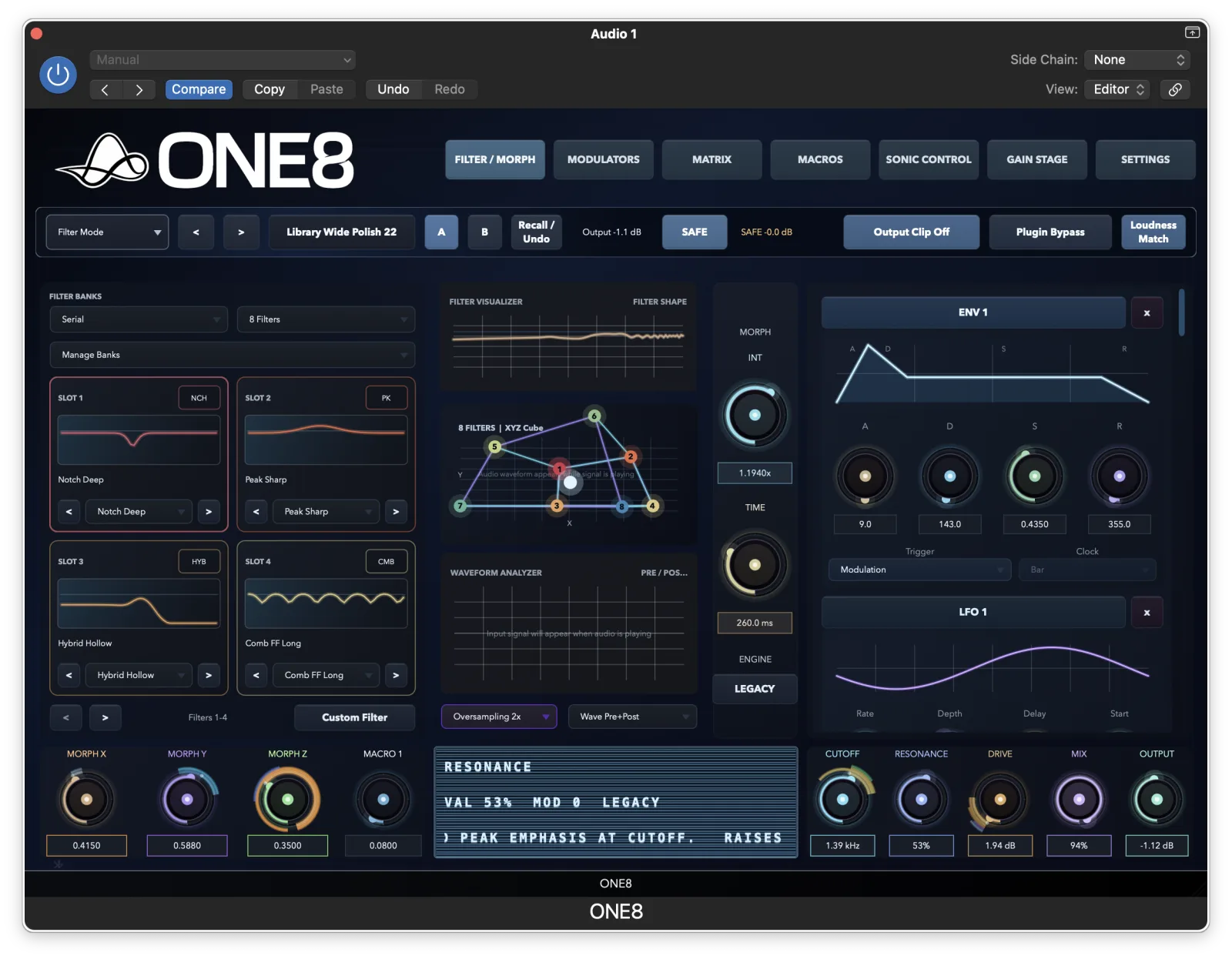
ONE8 Filter / Morph interface
2 / 4 / 8morphing filter states
0movement sources & tools
0visible matrix routes

The idea

Stop building movement from scattered utilities.

A filter sweep becomes stronger when the source, curve, route, sidechain response, colour, stereo shape, and final level all live in the same decision space. ONE8 is built around that complete chain.

ONE8 Filter / Morph

01 · Shape

Build the filter path.

Start with serial, parallel, hybrid, or custom filter banks, then morph across X, Y, and Z instead of automating one static cutoff.

  • 2, 4, or 8-state morph layouts
  • Filter banks, model slots, analyzer, and morph space
  • Cutoff, resonance, drive, mix, and output stay visible
ONE8 Modulators source panel

02 · Move

Give motion a source.

Use envelopes, LFOs, triggers, followers, scenes, buses, processors, and custom curves to make movement react to the track.

  • ENV, LFO, trigger, follower, bus, scene, and processor sources
  • Source panels show current values and route context
  • React to timing, level, sidechain, or performance gestures
ONE8 Matrix

03 · Route

Make complex motion readable.

Matrix and Blueprint views keep sources, destinations, curves, ranges, via controls, and slew visible before the patch turns into guesswork.

  • 24 rows for source, via, curve, mode, amount, range, and slew
  • Blueprint view explains one route visually
  • Inspector text keeps selected routes understandable
ONE8 Macros

04 · Perform

Bring the patch back to a few playable moves.

Macros turn deep modulation into clear performance controls for builds, drops, automation lanes, and MIDI gestures.

  • Four macro lanes with visible assignments
  • Range, clamp, curve, mode, and destination control
  • Useful for automation, MIDI, and live performance
ONE8 Gain Stage and SAFE

05 · Finish

Keep bold movement mix-ready.

Sidechain, drive, stereo shaping, gain staging, loudness match, clipping, and SAFE output keep the final result controlled.

  • Targeted sidechain bands and response shaping
  • Drive, stereo width, rotation, and asymmetry
  • Limiter, ARC, loudness match, clipping, and SAFE ceiling
ONE8 movement editor

Custom motion

Turn a curve into a phrase.

Draw, stamp, skew, and reset movement shapes so a sweep behaves like part of the track instead of a generic LFO.

ONE8

Start the tour, then keep the manual nearby.

Downloads, manuals, licences, and account access stay in the customer portal.